
The last keyboard you'll ever use
Swipe with both thumbs at once, with one, tap, or mix them in the same word, in English and Spanish without switching. It learns your words and keeps them on your phone: Braid has no internet permission.
Download for AndroidTwo thumbs, one word. Drawn in this page, slower than real typing.
Braid in numbers
of real two-thumb swipes right on the first guess, on our tester's own phone.
to read a swipe (median). The word is there as your thumbs lift.
languages in one: English and Spanish together, no switching.
bytes sent. No internet permission, so your words can't leave your phone.
Try how it looks
Tap the keys. Pick a theme and a key-press effect: five of the app's 15 themes and four of its 14 effects, drawn here the way the app draws them.
Braid vs Gboard
The same 740 test swipes, one thumb, played into both keyboards. Braid got the word right on the first guess as often or more, at a fraction of the size and with no internet access.
Two thumbs are faster than one
In the largest study of phone typing, people typing with two thumbs averaged 30% more words a minute than people typing with one finger. Braid reads both thumbs at once, so you can split a word between them, swipe one half and tap the other, or keep one thumb if that's how you type.
A keyboard like Keymonk and Nintype, for today's Android
Keymonk and Nintype (Keyboard 69 on Android) made swiping with both thumbs at once popular. Neither is on Google Play today. Braid Keyboard is a new keyboard for the same way of typing. It is its own app, built on FlorisBoard, with no tie to Keymonk, Nintype or their makers.
| Keyboard | Two thumbs at once | Where it stands |
|---|---|---|
| Braid Keyboard | Yes: swipes, taps or a mix | Free from this page. English and Spanish at once, no internet permission, 5.1 MB. Not open source. |
| Kinetica | Yes | Free and open source (GPL-3.0), on F-Droid. No network permission. |
| Keymonk | Yes | Not on Google Play. Last version listed: 2.29, from 2016. |
| Nintype (Keyboard 69) | Yes | Not on Google Play. Last Android version listed: 2017. |
| FlorisBoard | No | Open source. Swipe typing is off by default; a developer setting turns it on. Braid Keyboard is built on it and adds its own swipe reading. |
| Gboard | One thumb | On Google Play. 84.5 MB. |
Checked on 15 November 2026 on Google Play, the Kinetica and FlorisBoard project pages, and the last versions listed on Uptodown and APKPure. We have not tested the other keyboards side by side.
What it does
Swipe with both thumbs
Each thumb sweeps its half of the word at the same time. Mix taps and swipes in one word: Braid reads it all as one.
It learns your words
Names, slang, your brand: type a new word a few times and it's yours to swipe. It also learns which words you use together.
English and Spanish at once
One keyboard for both. Write "nos vemos at the meeting" without touching a language button.
Delete by sliding
Slide left from delete and the selection follows your thumb, a letter at a time. Go far and it runs through whole words. Lift to erase, one undo to bring it back.
Move and select with the space bar
Slide on space to move the cursor and slide from shift to select text. No more poking at tiny handles.
Clipboard and saved texts
Recent clips and the texts you save in one place, searchable. Hold a clip to pick several and save or delete them together. A code you just copied waits in the bar, one tap away.
Make it yours
15 themes, glide trails, 14 key-press effects like Glitch, Lightning and Pixel, key motion and haptics that feel your swipe.
Your speed, measured
Stats show how fast you type in each style and how much faster swiping is for you. Achievements to earn, a short summary of your week, a typing test and a card to share.
Private by design
Braid cannot connect to the internet: it has no internet permission. No account, no ads, no cloud copy of what you type. Nothing leaves your phone unless you send a feedback file yourself. Incognito with one tap for anything sensitive.
How we measure
96% is 367 of 381 two-thumb swipes our tester made on his own phone in November 2026, counted as the keyboard read them while he typed (so with the words before and the words it had learned); 1 ms is the median time to read a swipe on a phone build. Braid vs Gboard: 740 computer-generated one-thumb swipes (70 and 300 common English words, neat and sloppy, two random seeds) played into both keyboards on an Android emulator, with learning off. Braid's engine was tuned on swipes like these, so read it as on par or slightly ahead, not a clear win; the test with real thumbs is next, and its results go here, win or lose.
Install in a minute
- Tap Download and open braid.apk.
- Samsung: turn off Auto Blocker first (Settings → Security and privacy → Auto Blocker). You can turn it back on after.
- If Android asks, allow Install unknown apps for your browser, then tap Install. If Play Protect warns, tap More details → Install anyway: Braid is not on the Play Store.
- Open Braid: its setup turns the keyboard on.
Updating? Install over your current Braid; it keeps the words it learned.
Common questions
Is Braid Keyboard private?
Yes. It has no internet permission, so it cannot send what you type anywhere. No account, no ads and no cloud copy. The words it learns stay on your phone.
Can I type in English and Spanish without switching?
Yes. Both languages work at once in one keyboard, for swipes and taps, with no language button to touch.
Do I have to swipe with two thumbs?
No. Swipe with one thumb, with both at once, tap, or mix them in the same word.
Is Braid Keyboard free?
Yes. It is free, with no ads and no paid version.
Is it on the Play Store or on iPhone?
No. Braid Keyboard is for Android only, and you install it from this page: download braid.apk and follow the install steps.
How does it compare with Gboard?
On 740 computer-generated one-thumb swipes, Braid was right on the first guess 98% of the time against 95% on neat swipes, and 93% against 91% on sloppy ones: on par or slightly ahead, not a clear win. Braid is 5.1 MB against 84.5 MB and has no internet permission. How we measure.
Is Braid Keyboard related to Keymonk or Nintype?
No. It is a new keyboard for the same two-thumb way of typing, built on FlorisBoard. It has no tie to Keymonk, Nintype (Keyboard 69) or their makers.
Is Braid Keyboard open source?
No. It is built on FlorisBoard, which is open source (Apache 2.0), but Braid Keyboard's own code is not published.
Support Braid
Braid is free, with no ads and no paid version. If it makes your typing better and you want to say thanks, you can send any amount.
From Colombia, in pesos (Bre-B)
Key: eddie85@gmail.com
In your bank or wallet app, choose Bre-B, enter the key or scan the code. No fee.
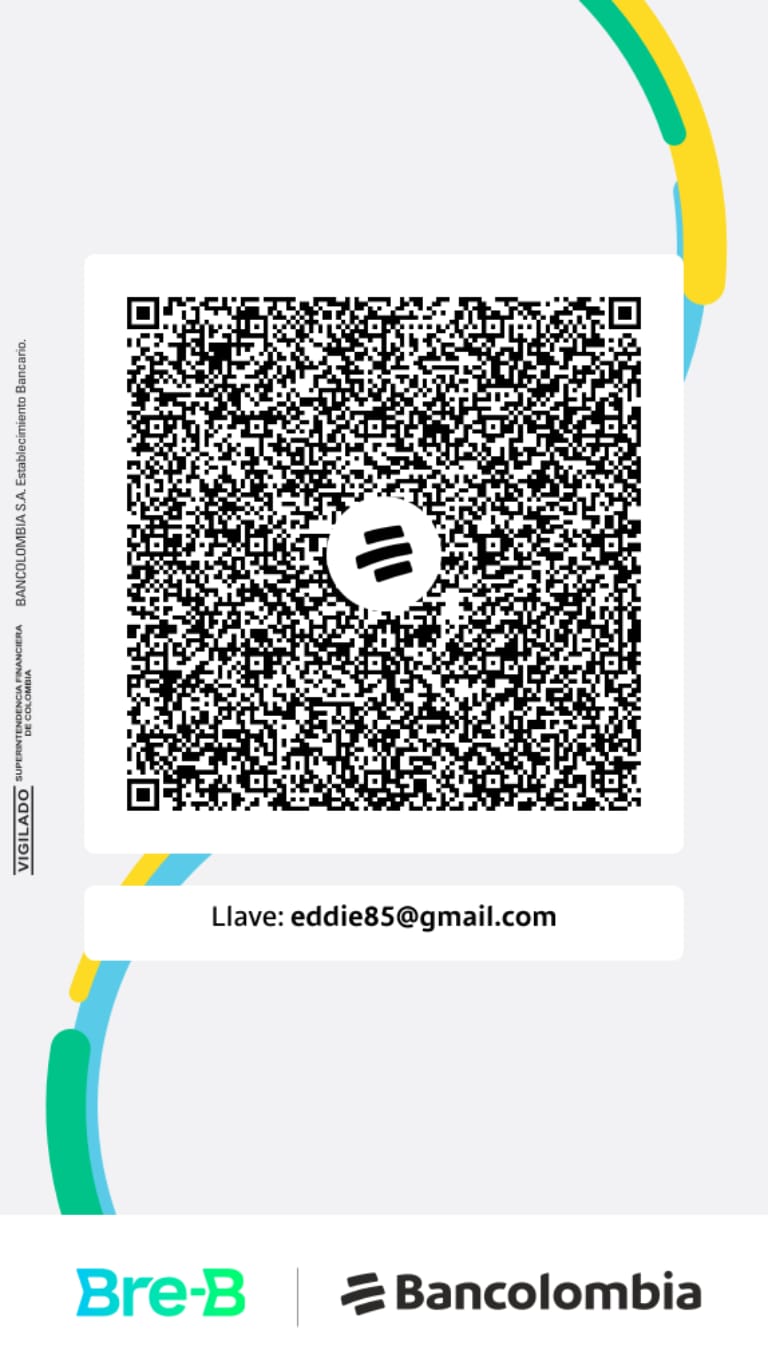
Cards and other currencies are coming soon. Telling a friend who types a lot helps just as much.