One beat at a time
Learn drums free,
on a pad, keyboard or kit
Free drum lessons, from scratch. A moving line shows what to play and plays the drums with you.
- Free, no ads
- No account
- English and Spanish
Who it's for
Start where you are
-
New to drums
Never held a stick
Lesson one is the snare and the quarter note. Each lesson adds one thing.
-
No kit
No kit, no space, thin walls
A practice pad or the computer keyboard is enough to start.
-
Coming back
Played years ago
A five-minute placement run finds your level, or you pick your start on the map.
-
Stuck
Not getting faster
The coach spots a path that has gone flat and gives you a week on something else.
Three ways to play
Play on what you have
No kit yet? You can learn drums without one. Change any time in Settings.
-
Practice pad
A pad or acoustic drums
The app plays the exercise with you. You say if the run was clean.
-
KeyboardFSpaceJ
The computer keyboard
Space is the kick, F and J the snare. Every hit is checked.
-
Electronic kit
An electronic drum kit
One USB cable. On time, the right drum, loud or soft.
Can't read music yet?
Read drum notation from day one
Each line or space is one drum. A cross is a cymbal. The moving line shows where you are.
Tap a drum to hear it.
Beginner to advanced
From your first quarter note to advanced
16 paths, 101 levels, 227 exercises. Eight milestones mark the way.
- First steps
- Eighth notes
- Sixteenths
- Loud, soft and your own
- Triplets and four limbs
- Control
- Time on your own
- Advanced
What do you want to play?
One style, several, or the instrument itself. It shapes each day's plan, and nothing is locked.
- Reading
- Time and rhythm
- Hands and rudiments
- Independence
- Grooves
- Fills
- Hi-hat
- Call and response
- Dynamics and ghost notes
- Rudiments, part 2
- Latin
- Funk and pop
- Double kick
- Odd time
- Plateau breakers
- Jazz basics
Tap a style to see its paths.
No teacher at hand?
It tells you what to practise next
- Today
- A session of 10, 20 or 45 minutes, mixing 2 to 4 areas.
- Easier, Harder
- One change at a time, like a kick on the "and" of 3.
- The coach
- Reads your history and suggests a change when a path goes flat.
- Your map
- Every path and level, with eight milestones to tick off.
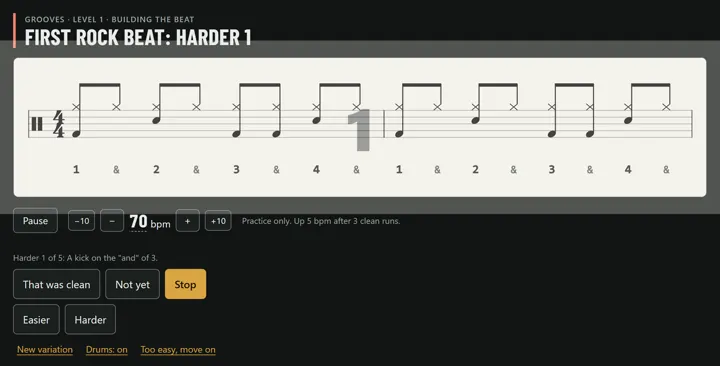
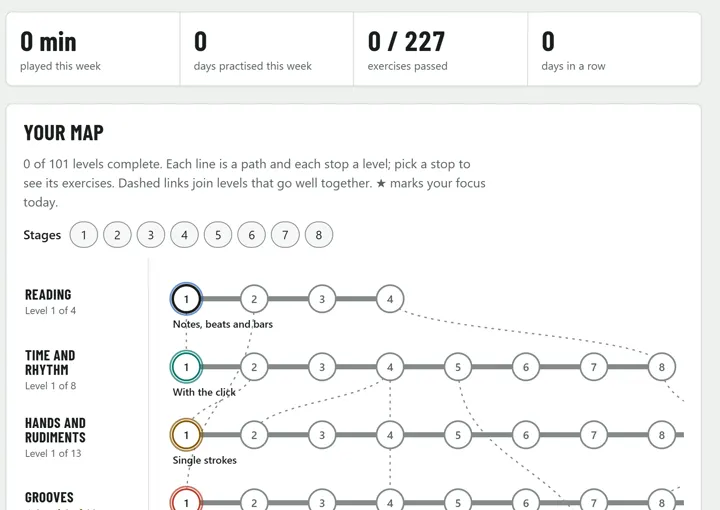
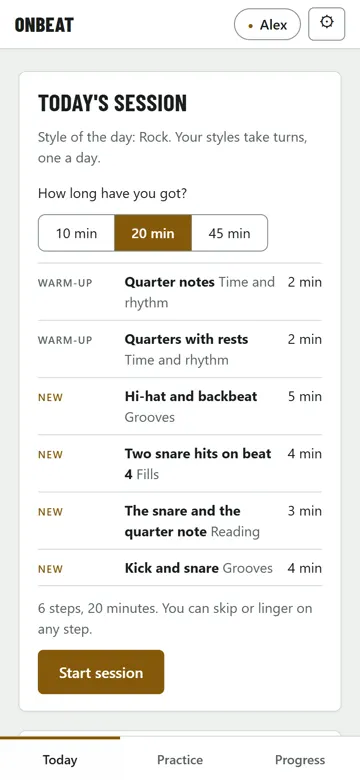
Phone, iPad, computer or TV
Your practice room, on any screen
Prop it on a music stand
The beat, the tempo and the loop buttons within reach.
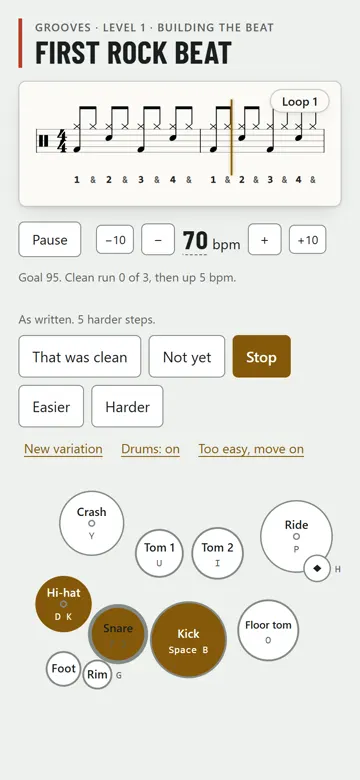
Room for the music and the kit
Runs in the browser. Nothing to install.
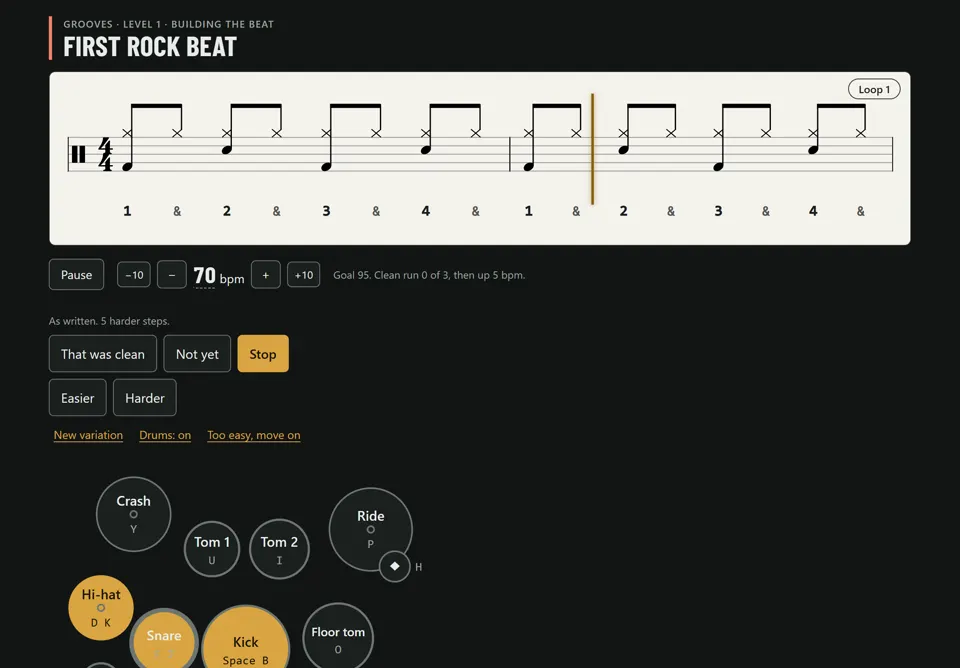
Every hit checked
With the keyboard or an electronic kit: on time, the right drum, loud or soft.
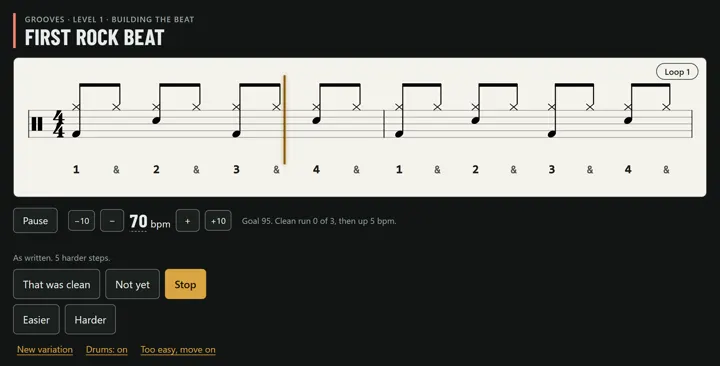
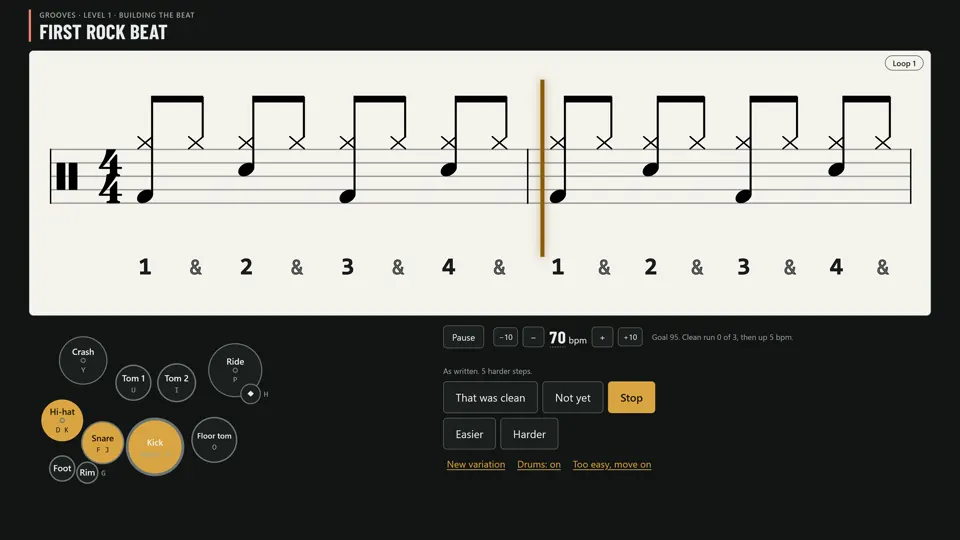
Read it from the drum stool
The music fills the width. A Picture setting lines it up with the sound.
Songs, in the desktop app
Play along to songs you add, whole or one part at a time. It comes with no songs.
Free, and private
- Free. No ads, no paid version.
- No account, no tracking.
- Your progress stays on your device.
For supporters
Your profile in the cloud
Practise on the TV tonight, carry on from the phone tomorrow. A donation of US$10 (40,000 pesos) or more unlocks one cloud profile on up to 3 devices at a time.
Why a donation?
This app is free and made by one person, in Colombia. Sync needs a service on the internet, so the cloud profile is a thank-you to supporters.
No account, nothing to install
Start practicing
On the web
In Chrome on Mac or Windows. On a phone, tablet or TV for a practice pad.
Open web version| What you get | Web | Mac app | Windows app |
|---|---|---|---|
| All 16 paths and Today's plan | Yes | Yes | Yes |
| Practice pad and keyboard | Yes | Yes | Yes |
| Electronic kit, every hit checked | In Chrome on a computer | Yes | Yes |
| Phone, tablet and TV | Yes, for a practice pad | No | No |
| Songs you add | No | Yes | Yes |
| Progress saved as you play | Yes, in this browser | Yes | Yes |
| Backup file | By hand, to a file | Every day you practise | Every day you practise |
| Cloud profile for supporters | Yes | Yes | Yes |
| To install | Nothing | One download | One download |
Questions
Getting started
Is it free?
Yes. It is free, with no ads and no paid version. Donations are voluntary; US$10 (40,000 pesos) or more unlocks one cloud profile, kept in step on up to 3 devices at a time.
Is it for complete beginners?
Yes. The lessons start from scratch: the first one is the snare and the quarter note, and each lesson adds one thing. There is no teacher and no account; you go at your own pace.
Do I need to read music?
No. The app teaches you to read drum notation as you play: each line or space is one drum, a cross is a cymbal, and a moving line shows where you are.
Can I learn drums without a drum kit?
Yes. You can practise on a practice pad, on acoustic drums or on the computer keyboard. An electronic kit plugged in with a USB cable adds a check of every hit.
I already play. Where do I start?
Choose "I've played before" when the app opens. With the keyboard or an electronic kit, a placement run of about five minutes finds your level on each path. On a practice pad you pick your starting point on the map.
Which styles can I learn?
Rock, metal, pop and funk, Latin and jazz basics. The Latin path starts with Colombian rhythms: cumbia, vallenato and dembow. You choose one style, several, or the instrument itself, and can change it any time in Settings.
Your setup
Can it hear me on a practice pad?
No. On a pad or acoustic drums the app plays the exercise with you and you say whether each run was clean. With the keyboard or an electronic kit it checks every hit: on time, the right drum, loud or soft.
Which browser do I need?
On a computer, Google Chrome on Mac or Windows; it is the browser that can talk to an electronic kit. On a practice pad, the browser on a phone, tablet or TV works too.
Does it work on my TV?
If your TV has a web browser, yes, for practising on a pad. The app has a layout for big screens, a screensaver when nothing is playing, and a Picture setting in case the moving line runs ahead of the sound.
Is it in Spanish?
Yes. The app and this page are in English and Spanish (Colombia). Switch with EN | ES at the top at any time.
The desktop app
Where are the songs?
Playing along to songs is in the desktop app, for Mac or Windows. The app comes with no songs: you add a song's drum chart, made by fans for Clone Hero or YARG, and its audio if you have it.
How do I open the Mac app the first time?
Download Onbeat-mac.zip, open it and drag the app into Applications. The first time, macOS says it cannot check the app, because it is not from the App Store: click Done, then in System Settings > Privacy & Security click Open Anyway next to the message about the app.
Is there a Windows app?
Yes, for Windows 10 or 11 (64-bit), with songs and a daily backup like the Mac app. Download it under Start practicing.
How do I open the Windows app the first time?
Download Onbeat-windows.zip, right-click it, choose Extract All, then open Onbeat.exe in the extracted folder. The first time, Windows says it protected your PC, because the app is not from the Microsoft Store: click More info, then Run anyway. It asks only once.
Your progress
Where is my progress saved?
On your device: in the browser for the web version, and in the app on a Mac or Windows computer. Settings, Backup saves it to a file you can move to another computer. Several people can share a device, each with a profile of their own.
How do I get the cloud profile?
Donate US$10 (40,000 pesos) or more and write to eddie@strategyandstack.com with your transfer details. You get a code to type in Settings > Sync, then you link your other devices with a QR code. Keep the code: it gets you back in on a new device. Only that profile's progress and settings are kept online, with no names or emails.
Help and about
Something not working, or have an idea?
Tell us on GitHub, or write to eddie@strategyandstack.com. Say what you were doing and on which device; a screenshot helps.
Who makes this?
Eddie Bello, in Colombia, a beginner drummer too.
Ready when you are
Grab your sticks: the first lesson is the snare and the quarter note.